
Self-hosted domain, DNS & SSL monitoring.
Track registration expiry via RDAP, verify DNS using authoritative nameservers, monitor SSL certificates, detect changes with structured diffs, and get alerts to Discord, Microsoft Teams, or email.
Free and open source. Built for homelabs and small teams who want control and auditability without a SaaS subscription.
- RDAP registration & expiry (WHOIS fallback for unsupported TLDs)
- NS, SOA, MX, TXT, A, AAAA, CAA, SRV — via authoritative nameservers
- Mail health: SPF, DMARC, DKIM checks
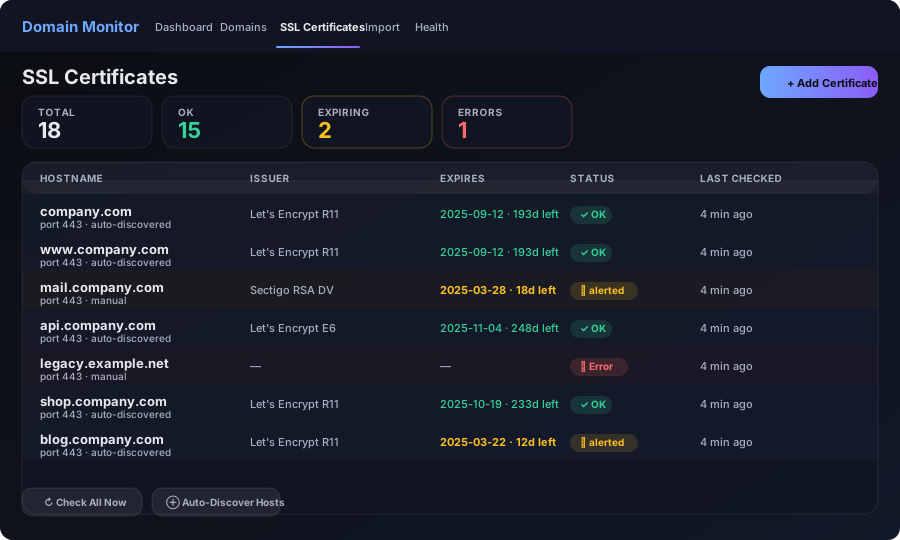
- SSL certificate expiry — auto-discovered per domain
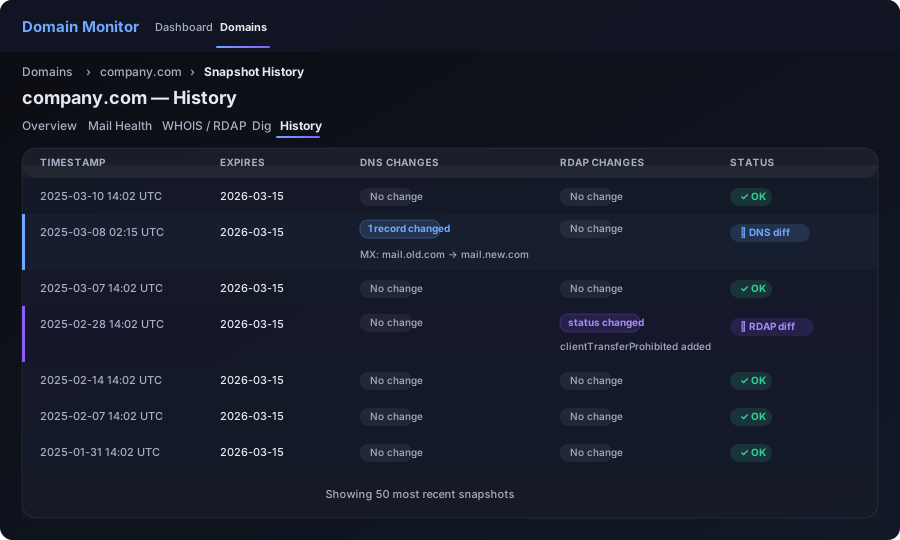
- Structured DNS and RDAP diffs with per-snapshot history
Features
Accurate DNS from the source
Queries authoritative nameservers — not public resolvers — to reduce false positives and reflect real delegation state. Falls back to recursive automatically when authoritative resolution fails.
SSL certificate tracking
Automatically discovers certificate hosts from your domain list. Tracks expiry, issuer, and subject. Alerts before certs expire with per-domain thresholds. Works on any port.
Structured diffs & history
Every check is stored as a snapshot. DNS and RDAP changes are diffed and highlighted — know exactly what record changed and when, without trawling through logs.
Alerts that don't spam
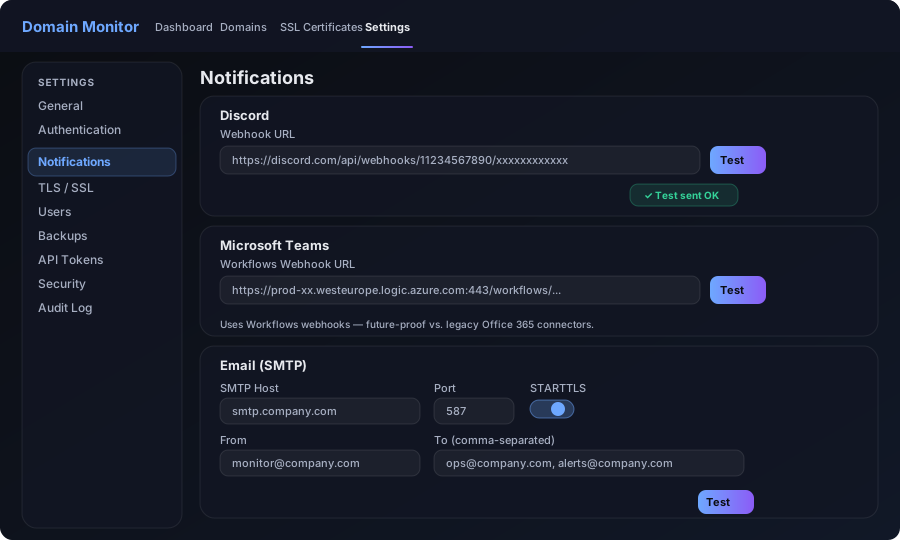
Per-domain mute windows, configurable expiry thresholds, and test buttons for every integration. Sends to Discord, Teams Workflows, and SMTP email — with a history link in every alert.
SSO or local login
Local accounts by default. Optional OIDC SSO with group-based role mapping — tested with Entra (Azure AD), Okta, Auth0, Keycloak, Ping Identity, OneLogin, and Google Workspace.
RBAC + audit logs
Admin and Viewer roles with group mapping from your identity provider. All actions are written to a searchable, paginatable audit log with CSV export.
Backups & restore
In-app scheduled backups with configurable retention. One-click restore — settings, domains, users, and uploads. Pre-upgrade backup created automatically before schema migrations.
REST API
Bearer-token authenticated read-only endpoints for your dashboards and automations. Named tokens with optional expiry, revoke, and cycle (rolling secret) support.
Update notifications
Checks GitHub for new releases and shows an in-app badge when an update is available. Step-by-step upgrade instructions built in — no mystery.
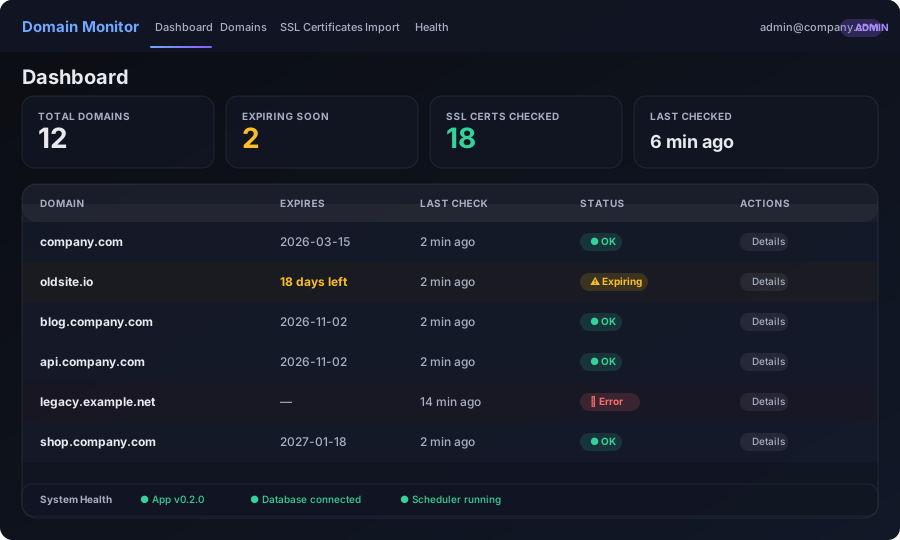
Screenshots
All UI is dark by default. Light mode follows the system preference.
Deploy
Docker (recommended)
- Install Docker + Docker Compose.
- Download the latest release and extract the ZIP.
- Copy
.env.example→.envand set your secrets. - Run
docker compose -f app/docker-compose.yml up -d - Open
http://localhost:8000— first user gets admin.
Binds to 127.0.0.1:8000 by default. Database and backups persist in a named Docker volume.
Exposing it publicly
Two supported approaches for HTTPS:
- Cloudflare Tunnel — no open inbound ports, free tier available
- Caddy reverse proxy — automatic Let's Encrypt, one config line
See in-app Help → Reverse proxy / HTTPS for diagrams and troubleshooting steps. Set BASE_URL to your public URL before sending alerts.
GitHub
Source code, releases, and issue tracker are all on GitHub.
Download v0.2.0 from GitHub Releases View sourceFAQ
Is this free? What's the licence?
Yes, Domain Monitor is free and open source. The source code and releases are on GitHub. There's no paid tier, no SaaS, and no telemetry.
Which TLDs are supported?
RDAP is used for any TLD that has registry-level RDAP support — which covers most major TLDs (.com, .net, .org, .io, .uk, .de, and many more). For TLDs without RDAP support (such as .it), Domain Monitor automatically falls back to WHOIS. DNS checks work for all domains regardless of TLD.
How does SSL certificate auto-discovery work?
When you add a domain, Domain Monitor reads the TLS default hosts pattern from settings (default: {domain} and www.{domain}) and creates certificate check entries for each. You can also add hosts manually, including custom ports. Auto-discovery can be re-run at any time from the SSL Certificates page.
What SSO providers does it work with?
Any OIDC-compliant provider. Entra (Azure AD) works out of the box with tenant ID config. Generic OIDC mode works with Okta, Auth0, Keycloak, Ping Identity, OneLogin, and Google Workspace — just provide the issuer URL and credentials. Group-to-role mapping is supported via Microsoft Graph (for Entra) or group claims in the token.
Can it email without a licenced mailbox?
Yes. Use SMTP relay mode — just point it at your relay host and set smtp_from. For Microsoft 365 you can use an Exchange Online connector on port 25 with IP restrictions, or authenticated SMTP if your tenant permits it. No mailbox licence is required for relay.
Does it support Microsoft Teams?
Yes — using Teams Workflows webhooks. These are the current Microsoft-recommended approach and will remain supported long-term, unlike the legacy Office 365 connector webhooks which Microsoft has deprecated.
Is it tied to Cloudflare or any specific infrastructure?
No. Domain Monitor runs as a Docker container and can be deployed anywhere. Cloudflare Tunnel is one option for HTTPS exposure but is entirely optional — Caddy, nginx, Traefik, or any other reverse proxy works fine.
How do I upgrade to a new version?
Pull the latest release, run docker compose up -d --build. Database schema migrations run automatically on startup. The app also shows an in-app upgrade badge when a new version is available on GitHub, with step-by-step instructions — including creating a pre-upgrade backup first.
Is there a dark mode?
Yes — the UI is dark by default. Light mode follows the system colour scheme preference automatically.